“95% accurate” still leaves more than half your invoices needing a person.
Capture tools quote accuracy per field. Your team gets whole invoices. So we made some of the ugliest invoices we could, ran them through AP Receiving, and put every answer here for you to check.
Nuntiq calculation, per 100 invoices at 95% field accuracy (95% is an illustration). With 26 header fields and 5 lines of 6 fields, 100 invoices hold 5,600 fields, so 280 errors. Errors cluster, about 5 on each bad invoice, so 56 of 100 invoices need a person. If every field went wrong independently, 74 of 100 headers alone would have an error. 5 lines per invoice and about 5 errors per bad invoice are our assumptions.
Bad data is not a rounding error.
An invoice is only usable when every field your ERP needs is right: supplier, number, dates, totals, every line. A tool that is right 95% of the time per field gets a whole invoice right less than half the time.
Someone on your team catches the rest. Or nobody does, and it surfaces at payment run, at month end, or in an audit.
invoices go through without a person touching them.
Ardent Partners research, The State of AP 2026 (n=194). Range in 2024 to 2026 surveys: 32.6% to 38.3%.invoices gets stuck as an exception.
Ardent Partners research, The State of AP 2026: 19.9% average exception rate.of fields on scanned invoices: the best of eight general-purpose AI models in an independent benchmark. About 1 field in 14 still wrong. Off-the-shelf AI is not capture.
Berghaus et al., Fraunhofer IAIS and Lamarr Institute, 2025 (arXiv 2509.04469, preprint): 350 scanned invoices.to resolve a single invoice error. Bad data does not just cost a correction; it parks the invoice.
Median of 2,861 organizations benchmarked by APQC (Open Standards Benchmarking, cycle time to resolve an invoice error).Eight invoices built to break capture. Open any of them.
Scanned, faxed, photographed, stamped and scribbled on, in four languages, up to 424 lines long. On the left the page, on the right what AP Receiving captured. Point at a value to see where it came from.
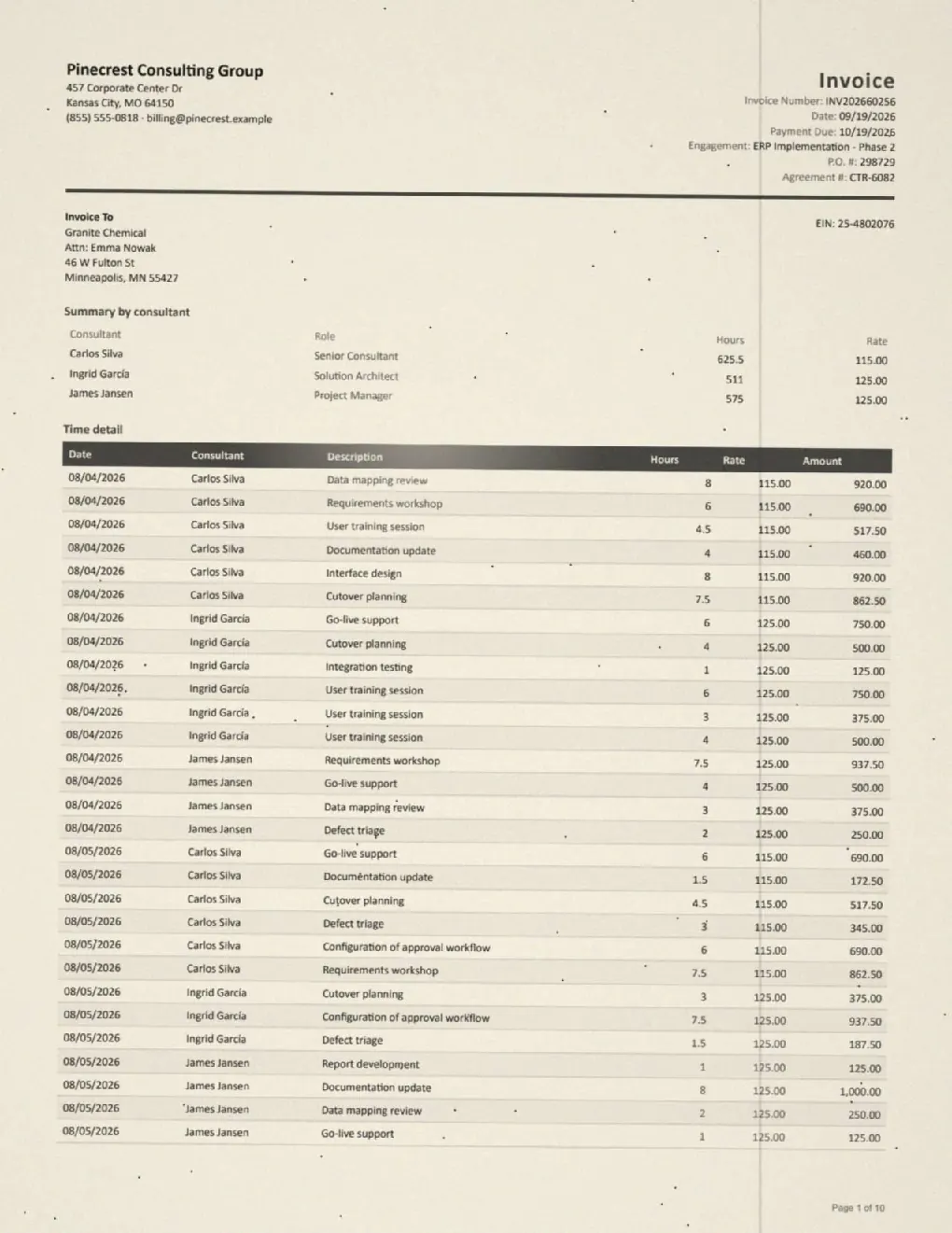
The 424-line time sheet
Ten pages of consultant hours on a tired scanner. One model we tested read the header and returned no lines at all.
Open the invoice →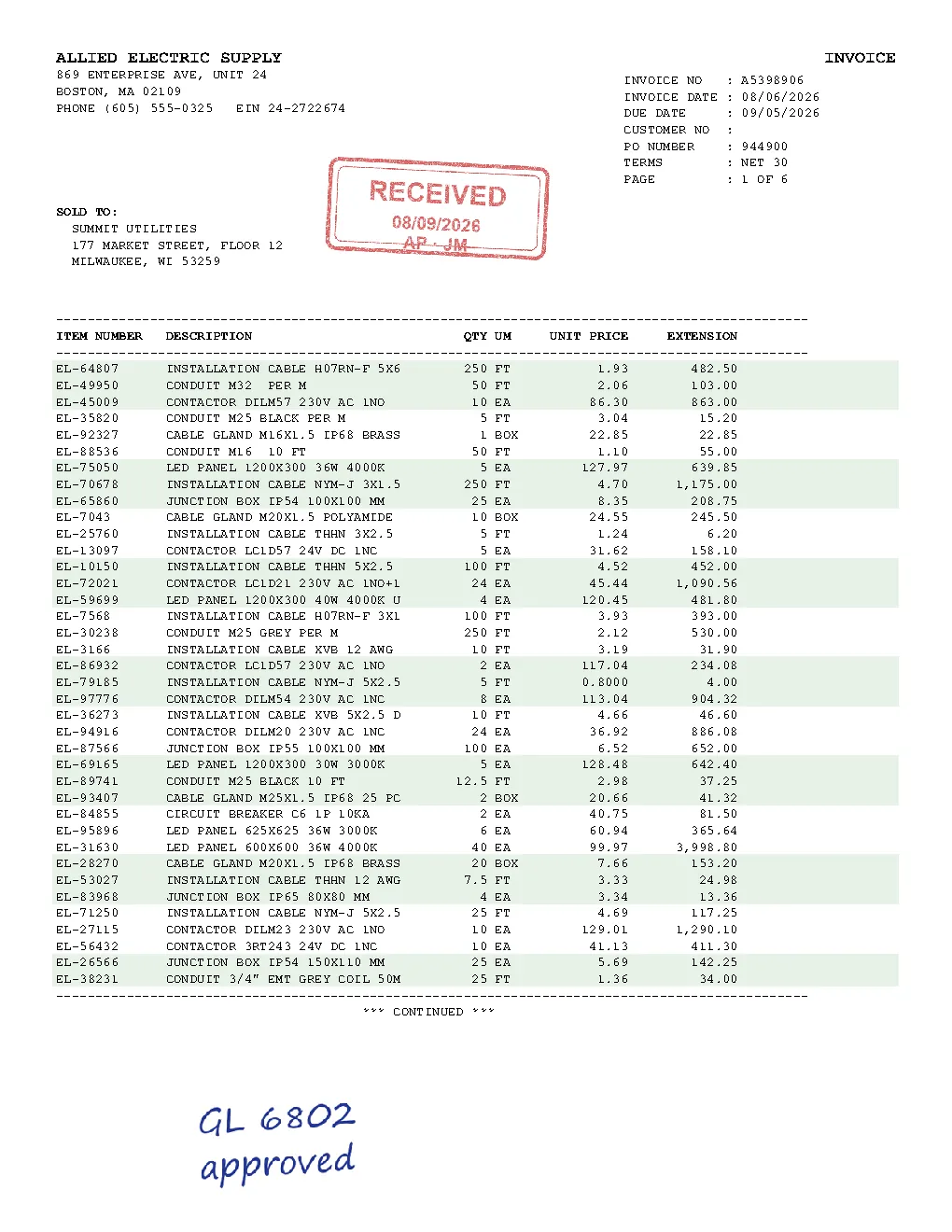
The dot-matrix classic
Six pages in a legacy monospaced layout, with a stamp and handwriting on top.
Open the invoice →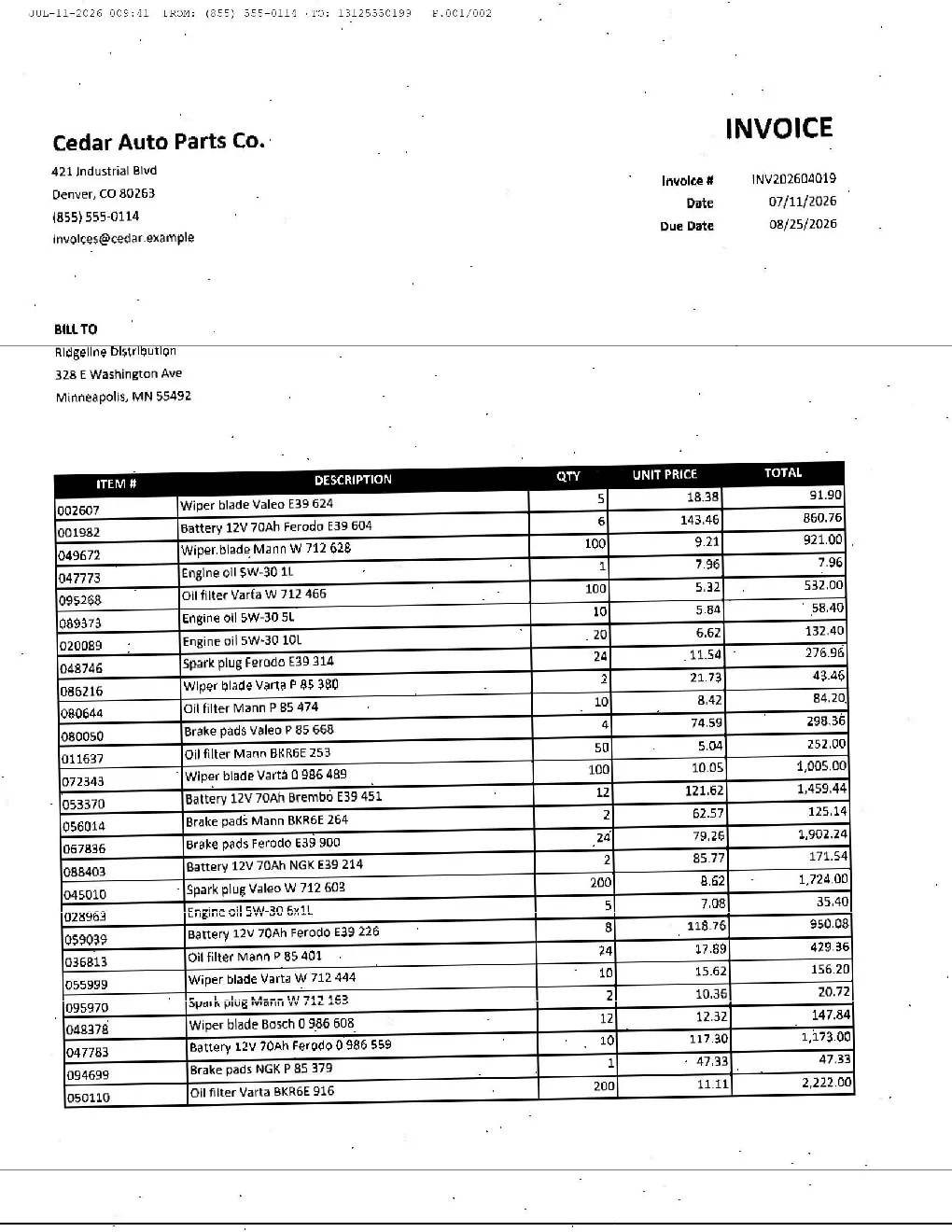
Sent by fax, in 2026
Fax noise, soft edges and 54 lines that all have to add up.
Open the invoice →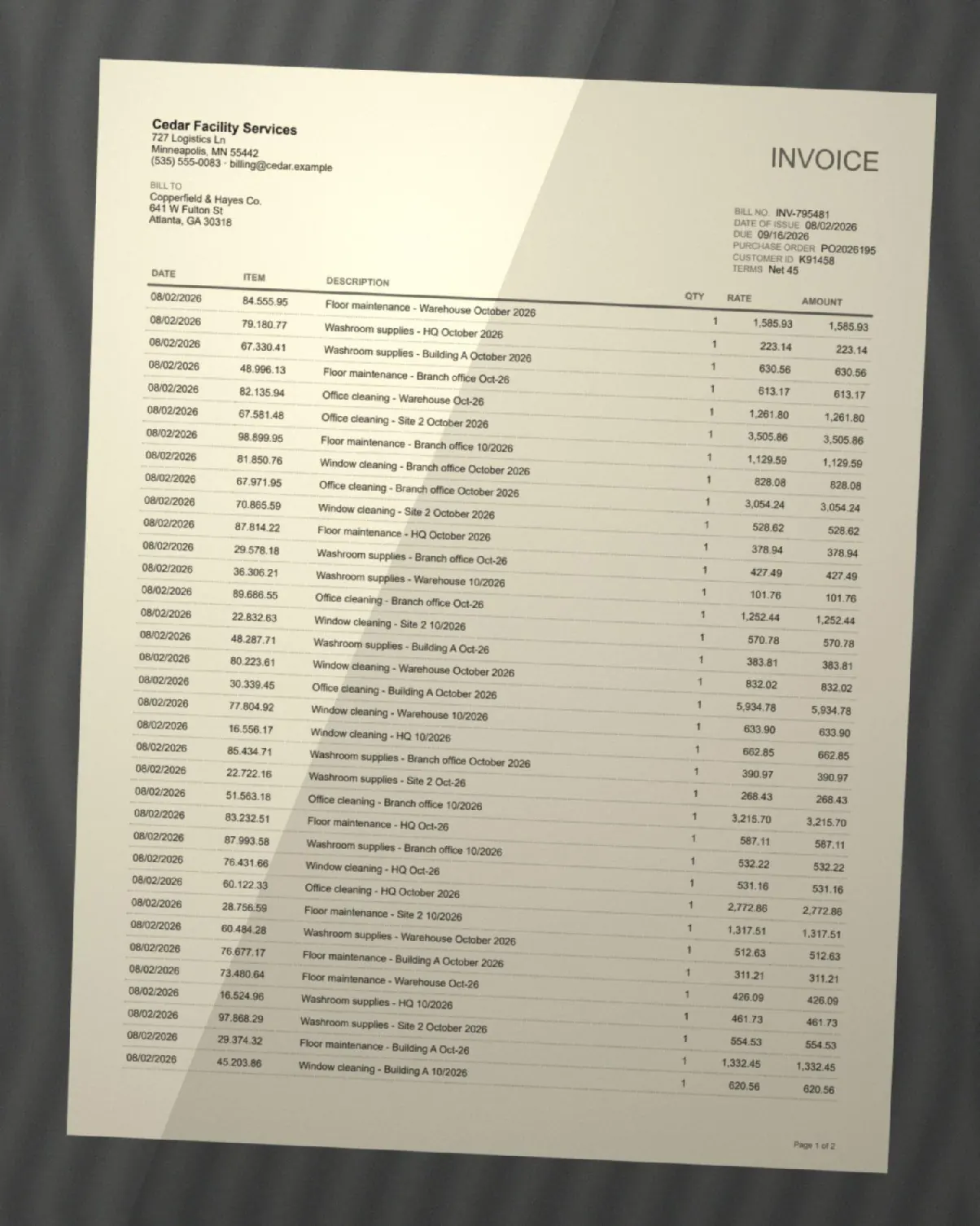
Photographed on a desk
A phone photo at an angle, with shadows and curled paper.
Open the invoice →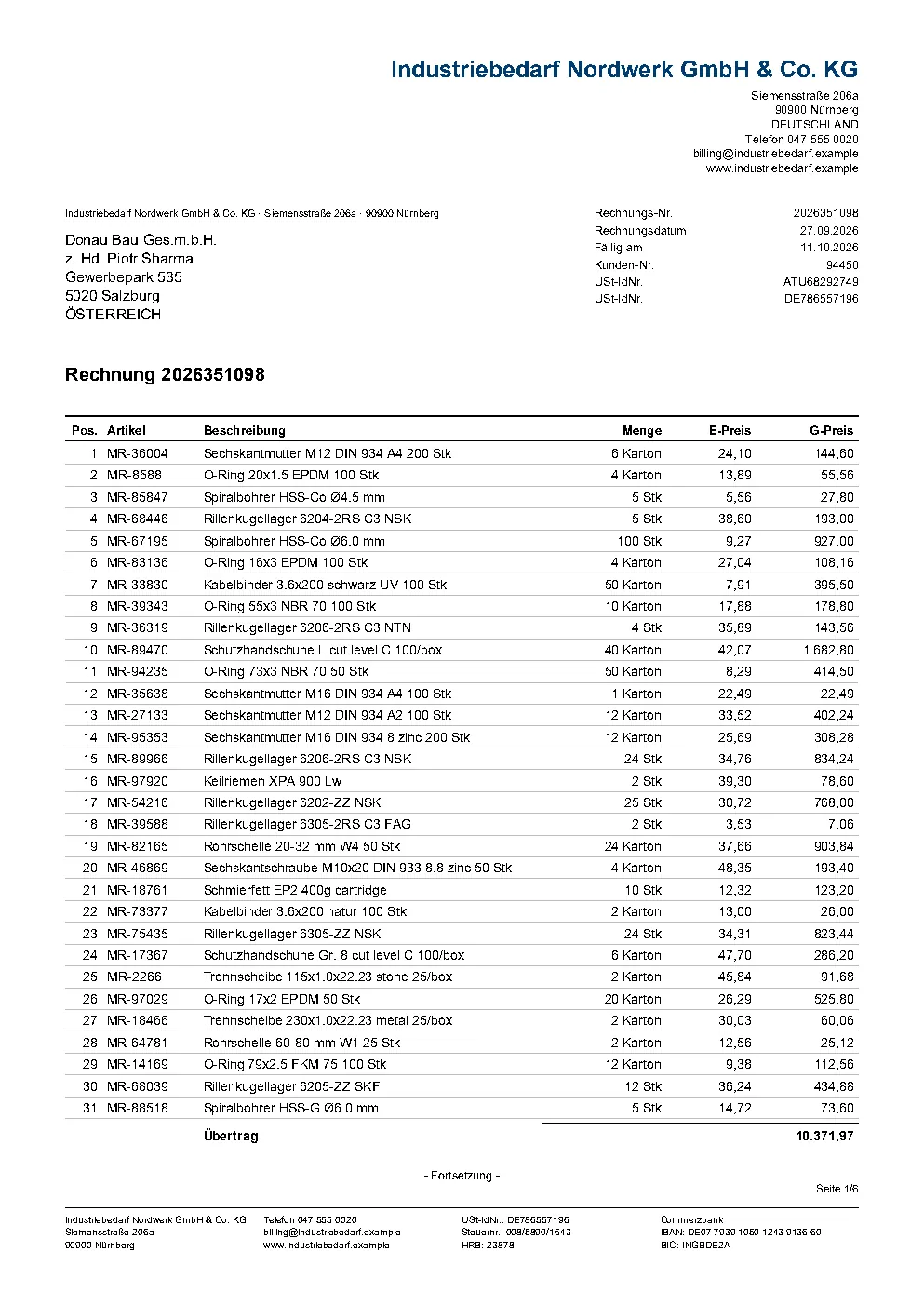
German supplier, Austrian customer
A cross-border invoice in German: reverse charge, two VAT numbers and 231 lines carried over six pages.
Open the invoice →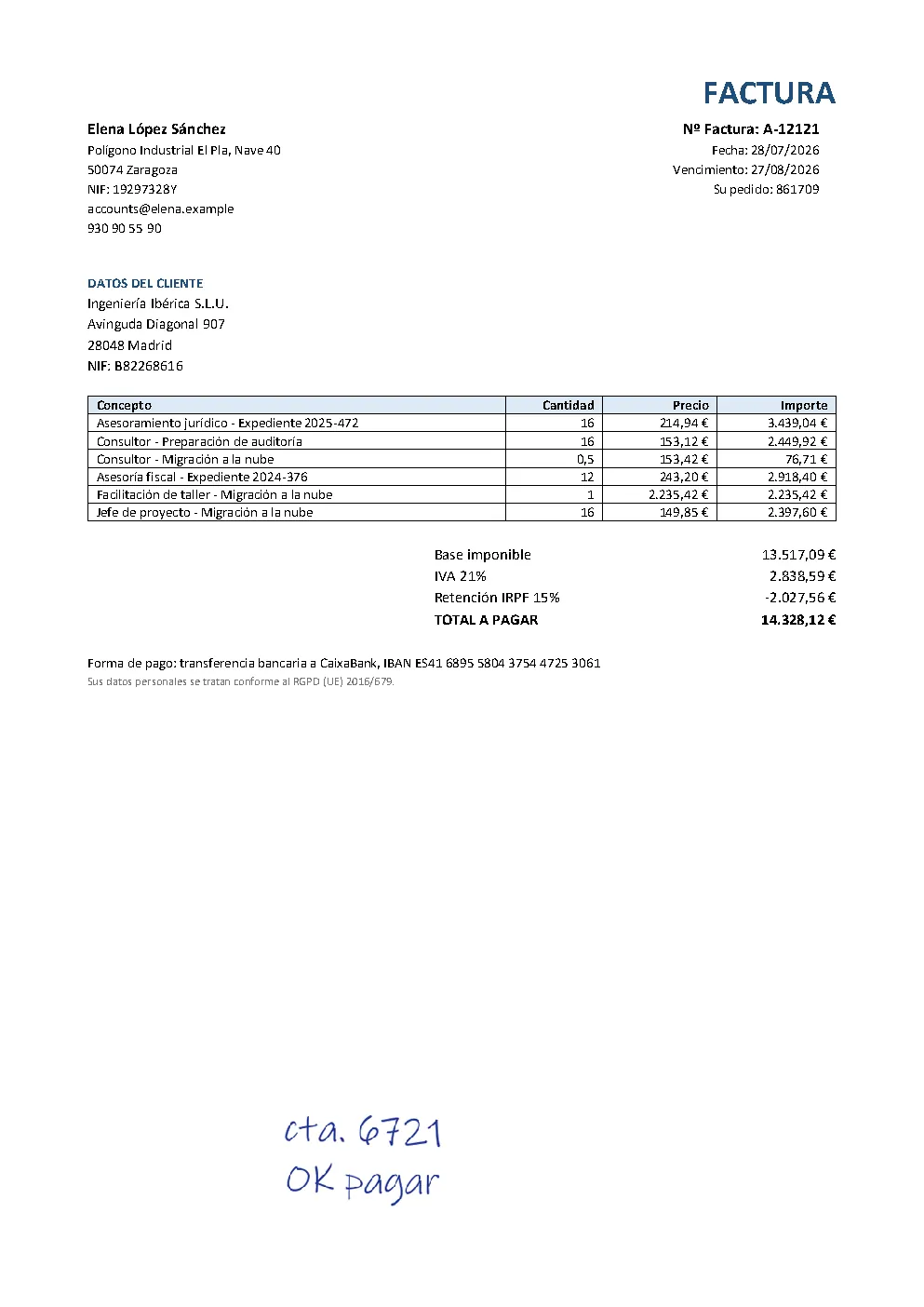
Spanish, with withholding
IRPF withholding below the total, a handwritten approval note and decimal commas throughout.
Open the invoice →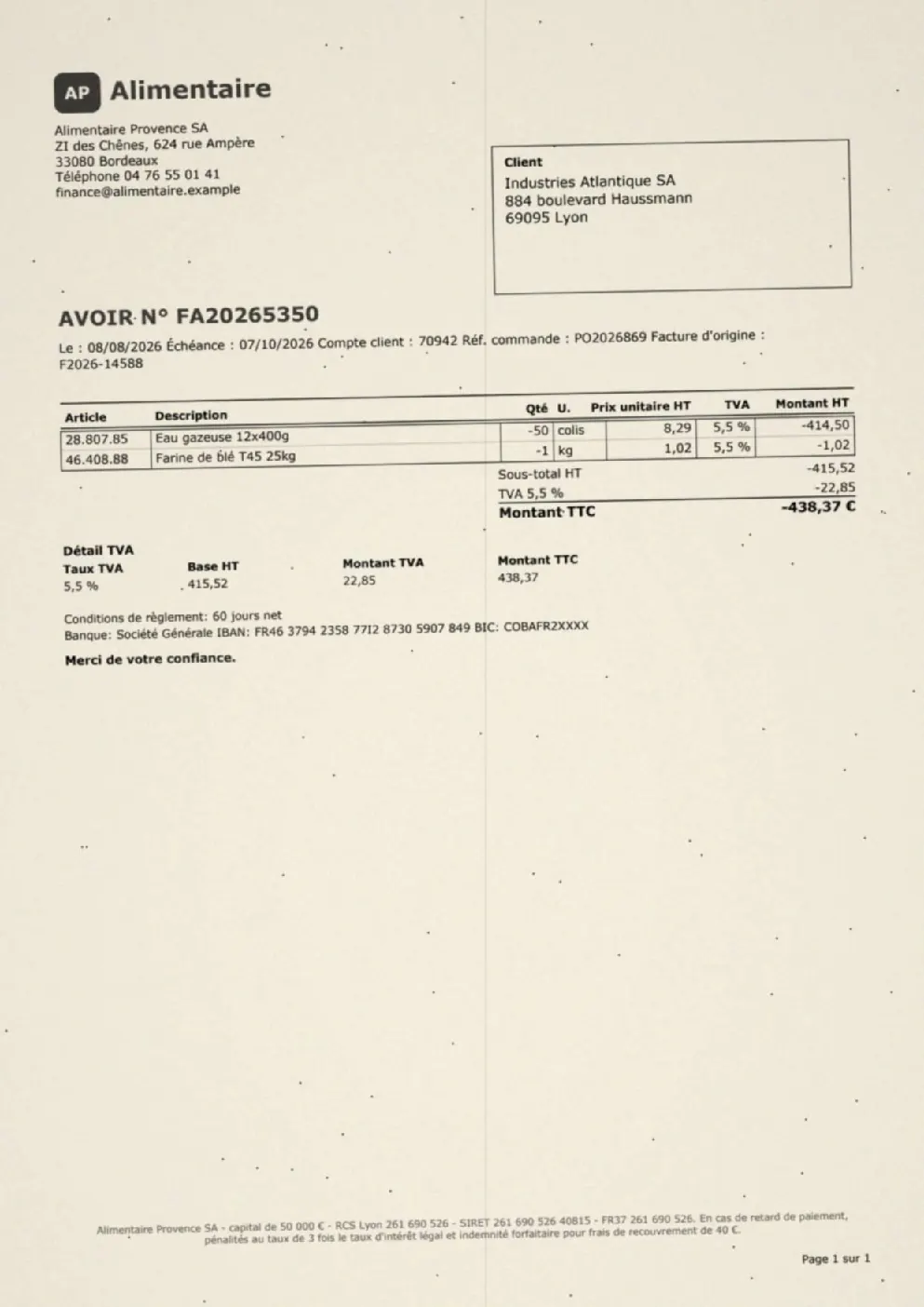
A French credit note
A credit note, so every amount has to come out negative, on a poor scan.
Open the invoice →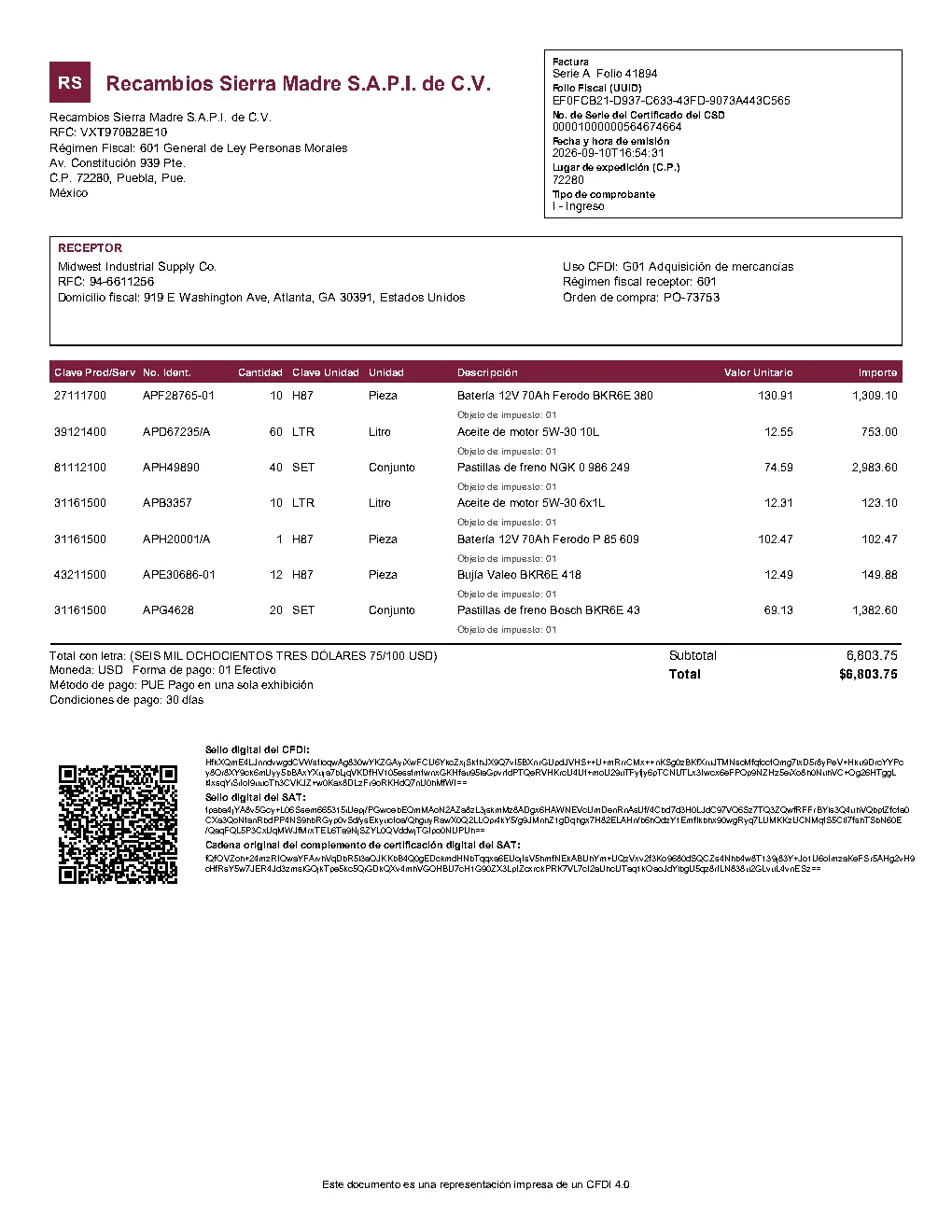
Mexican CFDI to a US buyer
A Mexican electronic invoice printout with RFC tax ids, fiscal stamps and a US customer.
Open the invoice →Every invoice here is a fictional test document generated by Nuntiq; any resemblance to a real company or person is coincidental. Each answer shown is the first run of our production setup, unedited, and is checked against the answer key written when the invoice was generated.
If it doesn’t add up, it doesn’t slip through.
Reading an invoice is half the job. Knowing when the reading is incomplete is the other half, and that is where bad data usually gets in.
Add it up
Before an invoice moves on, its lines, charges and discounts are added up and compared with the totals printed on the invoice. Deductions such as retainage or withholding tax are checked against the amount due.
Read it again
When the numbers do not match, a second AI model reads the invoice again, before anyone on your team has to look at it.
Flag it for a person
If it still does not add up, the invoice goes to your team flagged, with the reason and the original document beside the captured data. Then your validation rules check every invoice before it is released.
The check catches missing lines and totals that do not reconcile. A wrong value that still adds up, such as a misread date, is for your validation rules and your team to catch, which is why every invoice passes them before it is released.
Summary accuracy
14 AI models, the same 210 invoices. Each model at its best setting. Best accuracy in each column in teal.
| Model | Complete | Header accuracy | Line accuracy | Tax accuracy |
|---|---|---|---|---|
| DeepSeek V4.1 Flash | 100.0% | 97.6% | 99.8% | 100.0% |
| Claude Haiku 5.5 | 100.0% | 98.0% | 99.8% | 100.0% |
| GLM 5.3 Flash | 99.4% | 95.1% | 99.8% | 99.4% |
| GPT-5.6 Luna | 99.8% | 98.2% | 99.8% | 99.6% |
| GPT-6 Luna | 99.5% | 98.3% | 99.7% | 99.6% |
| Gemini 3.5 Flash-Lite | 99.7% | 97.7% | 99.1% | 99.8% |
| Gemini 3.1 Flash-Lite | 98.4% | 87.8% | 94.2% | 99.1% |
| Qwen3 Next 80B | 97.4% | 91.3% | 96.0% | 98.7% |
| GLM 4.7 Flash | 89.0% | 74.9% | 87.5% | 83.0% |
| Ministral 3 14B | 92.4% | 87.2% | 66.1% | 90.4% |
| gpt-oss-120b | 85.7% | 85.6% | 61.7% | 94.2% |
| gpt-oss-20b | 79.0% | 88.7% | 55.0% | 79.8% |
| Nemotron 3 Super | 81.2% | 71.7% | 57.7% | 38.5% |
| Gemini 2.5 Flash-Lite | 49.7% | 44.5% | 76.1% | 44.2% |
The Nuntiq process
Three of the strongest models on their own, and working inside the Nuntiq process. Inside the Nuntiq process every model runs with settings tuned for it.
| Setup | Every line captured | Invoices with missed lines, unnoticed | Needs a person |
|---|---|---|---|
| Nuntiq process | 100.0% | 0 of 210 | 10 of 420 reads (2.4%) |
| GPT-6 Luna alone in Nuntiq | – | 0 of 210 | 29 of 420 reads (6.9%) |
| DeepSeek V4.1 Flash alone in Nuntiq | – | 0 of 210 | 15 of 420 reads (3.6%) |
| Claude Haiku 5.5 alone in Nuntiq | – | 0 of 210 | 14 of 420 reads (3.3%) |
210 test invoices generated by Nuntiq, in nine languages: digital PDFs, scans, faxes and phone photos, 1 to 15 pages, including credit notes and multi-invoice PDFs. Every model received the same instructions and ran at its best setting, reading each invoice two or three times. Complete means every invoice line captured. Percentages are rounded to one decimal, so 100.0% can include a single miss.
The Nuntiq process verifies every capture before it reaches your team. When a capture falls short, Nuntiq reads the invoice again. If it still falls short, the invoice goes to your team for review instead of slipping through. Measured on the setup our customers use: 210 invoices, read twice each (420 captures). A model on its own has nothing to fall back on: every capture that falls short needs a person.
AP Receiving turns every invoice you receive into data your ERP can post.
Invoices arrive by email, direct supplier send, upload, API or e-invoice file and land in one queue. AI reads each document, your business rules enrich and validate the data, and your team reviews only the exceptions before the invoice goes to your ERP.
Any Channel, One Queue
Email, direct supplier send, upload, API or structured e-invoice file, all in the same processing queue.
Zero Templates
AI reads each supplier’s layout from the first invoice. No templates to build, no separator sheets.
Matched and Validated
Matched to your entities, suppliers and purchase orders, then checked by your rules, duplicates included, before anything posts.
Suppliers Help Themselves
Suppliers log in with a one-time code and see the status of their invoices and payments, without calling your team.
Want to see this on your own invoices?
Test invoices prove a point. Yours are the ones that count. Bring the scans, the faxes and the 400-line monsters your team dreads, and see what comes back.
You can be processing your own invoices within a week, and connect your ERP whenever your IT team is ready.